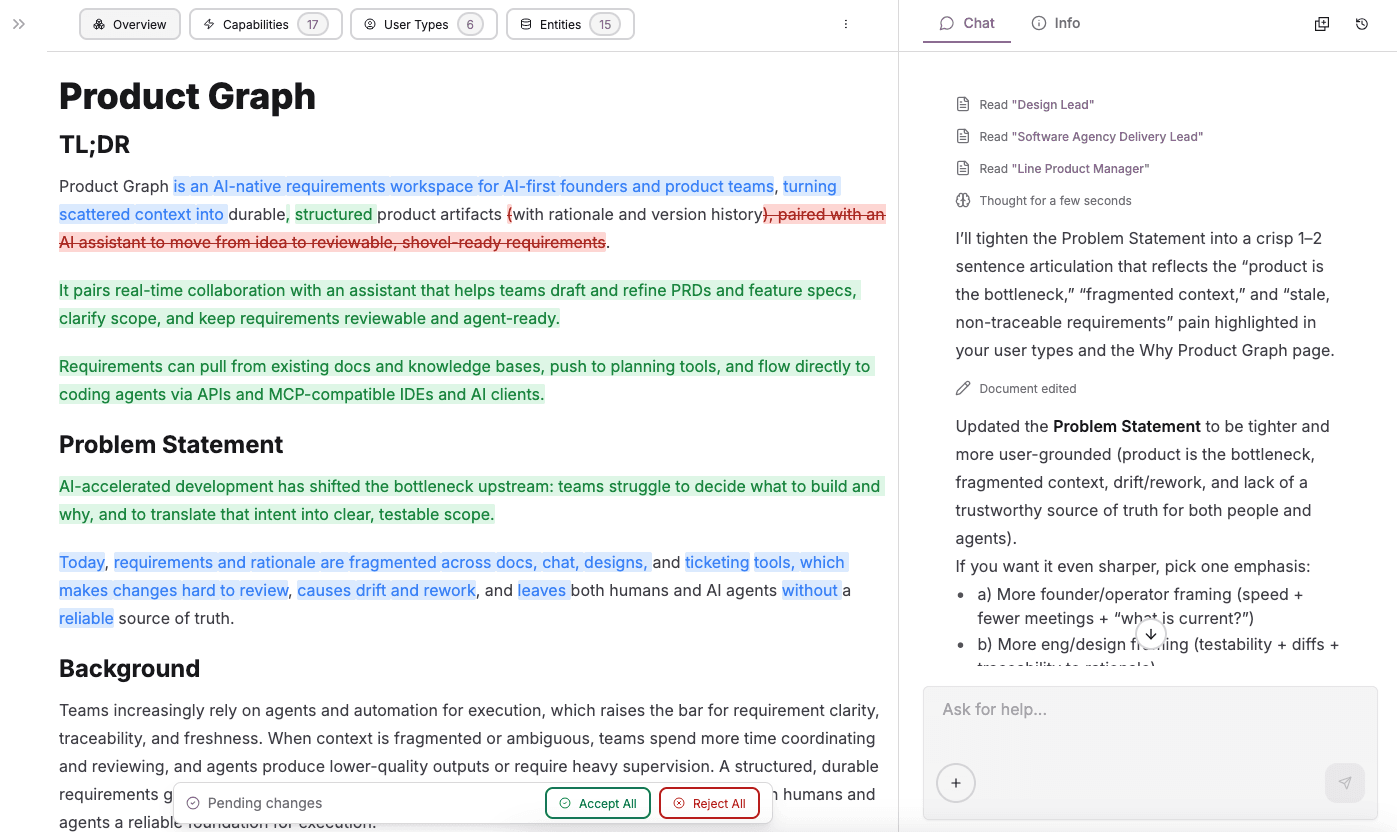
Product Graph is a software requirements workspace for AI-first teams. It helps you turn scattered ideas into a clear, structured set of product artifacts, paired with an AI assistant to help you move faster from idea to shovel-ready requirements.
Modern teams build faster with AI coding agents, but the bottleneck has shifted to deciding what to build and why. Product context is scattered across docs and tools, inconsistent, and often outdated, making it hard for people and AI to rely on a single source of truth.
This post offers a quick tour of what Product Graph can do, and how to get started.
Product Artifacts
When engineering moves fast, requirements need to be more than prose. Product Graph helps teams capture intent as connected artifacts, so every decision stays reviewable and every requirement stays traceable.
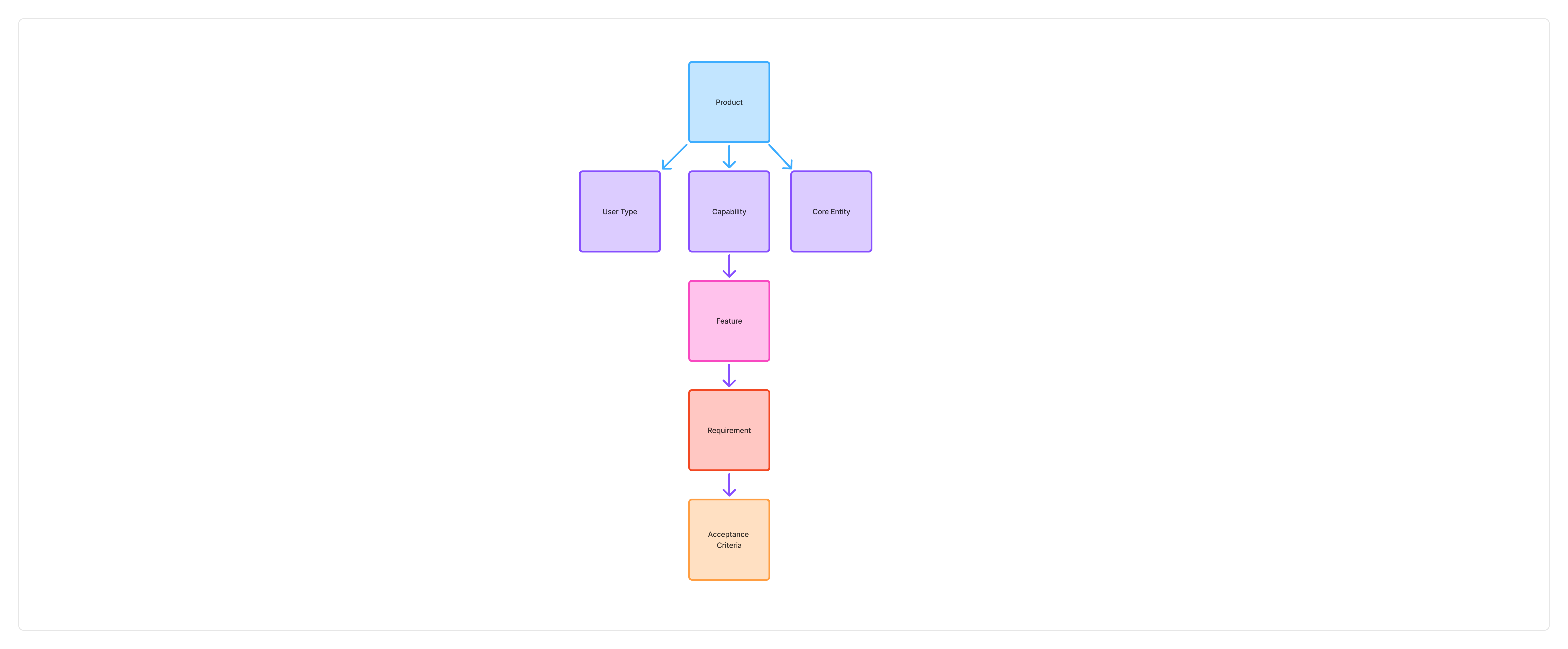
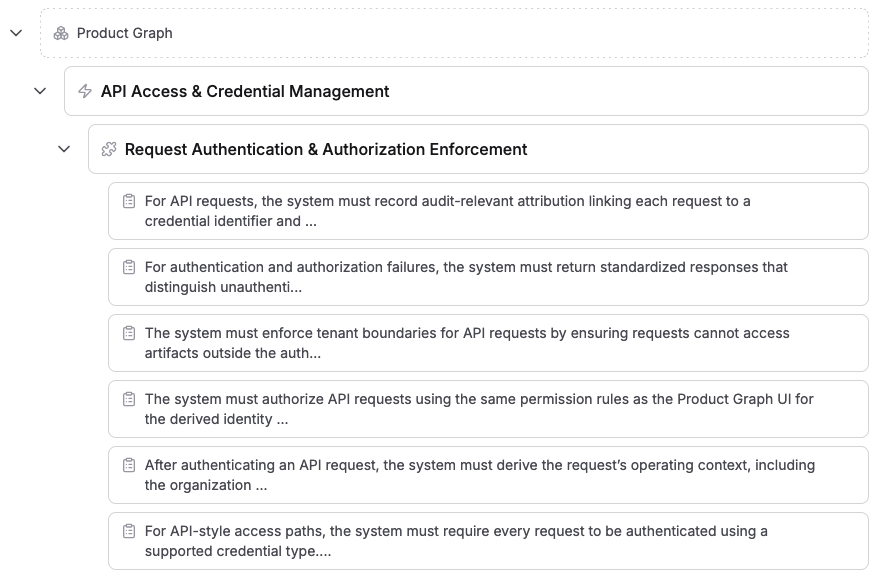
At the core is a simple hierarchy:
Product → Capability → Feature → Requirement → Acceptance Criterion
This gives you a clean path from strategy to testable outcomes, while keeping the "why" attached to the "what." Supporting artifacts like User Types, Core Entities, and Projects provide the surrounding context without muddying the spec.
| Artifact | What it represents | Parent | Typical output |
|---|---|---|---|
| Product | The overall offering, its vision, boundaries, and value proposition | None | North star narrative and scope boundaries |
| Capability | A durable, outcome-oriented ability the product provides | Product | A pillar like "Inbox Organization & Categorization" |
| Feature | A concrete, user-facing behavior that ships in a release cycle | Capability | A specific experience like "Smart Categories Panel" |
| Requirement | One atomic system behavior, constraint, or business rule | Feature | A single, precise "must" statement |
| Acceptance Criterion | One testable pass/fail condition (Given/When/Then) that proves a requirement | Requirement | A measurable check defining "done" |
| User Type (supporting) | A long-lived archetype of who uses the product, their goals and pain points | Product | Shared persona for prioritization and UX decisions |
| Core Entity (supporting) | A domain concept (the "nouns") the product reasons about | Product | Shared vocabulary like "Artifact," "Project," "Decision" |
| Project (supporting) | A time-bound execution container that references artifacts in scope | None | Release or initiative tracking without rewriting the spec |
AI-Native Editor
Product Graph's editor is built for product documentation, from high-level narratives to detailed requirements. It supports rich content blocks like headings, lists, tables, images, and code blocks, so you can communicate intent clearly and keep specs navigable.
- Block-based structure: Organize content with paragraphs, headings, lists, tables, images, and more
- Inline formatting: Fast shortcuts for bold, italics, underline, and inline code
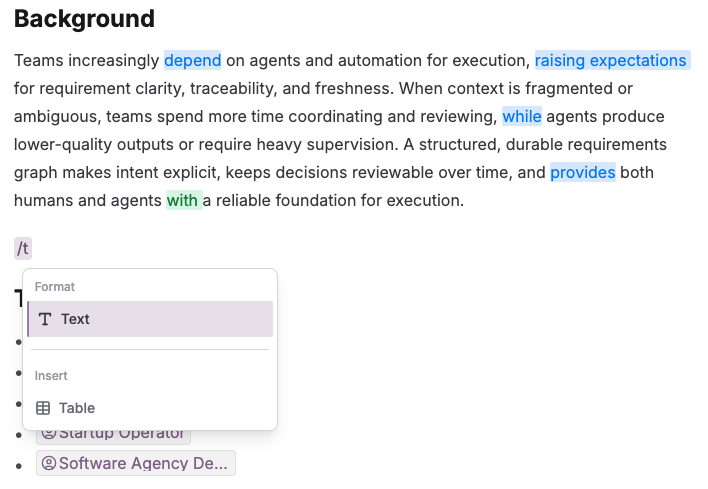
- Slash command menu: Quickly insert blocks or apply formatting with
/ - Artifact mentions: Use
@to link Products, Features, Requirements, Documents, and more
Selection-Based Editing
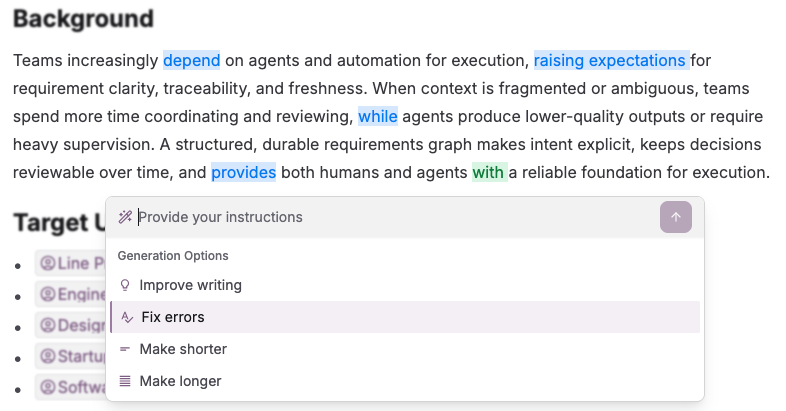
Highlight any text to access AI-powered editing actions.
- Expand: Elaborate on selected content
- Summarize: Condense a long paragraph into the key points
- Rewrite: Improve clarity, remove ambiguity, or adjust tone
Chat with Context
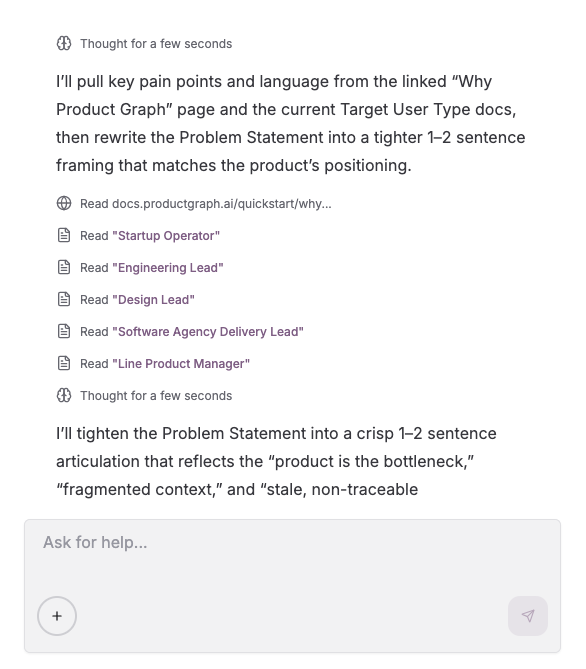
Product Graph's Chat is built for working on product documentation, not generic Q&A. The assistant can reason over your artifacts, terminology, and historical context to help you refine and extend specs.
- Scoped to your work: Conversations are grounded in your artifacts and documents
- Smart editing: Ask the AI to revise sections, tighten language, or restructure a doc
- Requirements refinement: Surface ambiguity, missing edge cases, and unclear scope
- Artifact creation (with confirmation): Propose, then create linked child artifacts as needed
Suggested actions like summarizing, rewriting, or identifying gaps help you get started quickly.
Adding Context
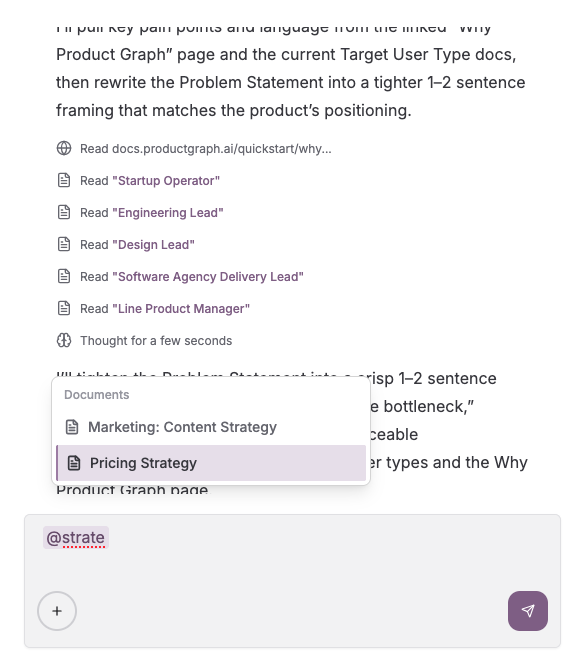
Bring in additional context beyond what is already in your artifacts.
- Reference existing Product Graph artifacts and Documents with
@mentions - URLs (scraped for content)
- Pasted notes
- Uploaded files (images and PDFs)
Document Editing from Chat (Tracked Revisions)
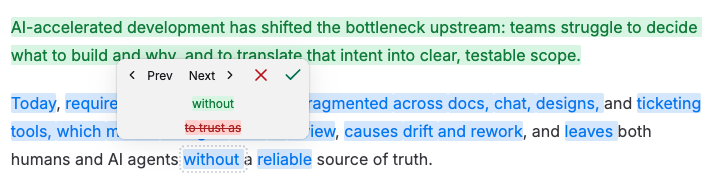
When you ask the AI to edit a document through chat, changes appear as tracked revisions for your review.
- Tracked edits: See insertions, deletions, and modifications inline
- Bulk actions: Accept or reject changes individually, or all at once
- Collaborative review: Teammates can review the same proposed changes in real time
Real-Time Collaboration
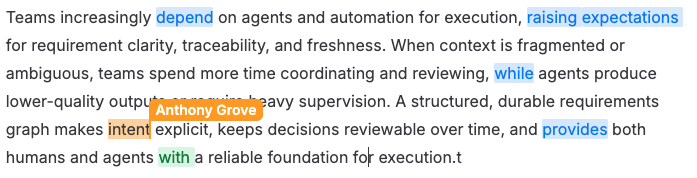
Product Graph supports real-time collaboration across documents and product artifacts. Multiple teammates can work in the same doc at once without version confusion.
- Live collaboration: See teammate edits appear instantly
- Conflict-free editing: Concurrent changes merge automatically, including offline edits when you reconnect
Flexible Documents (Beyond Specs)
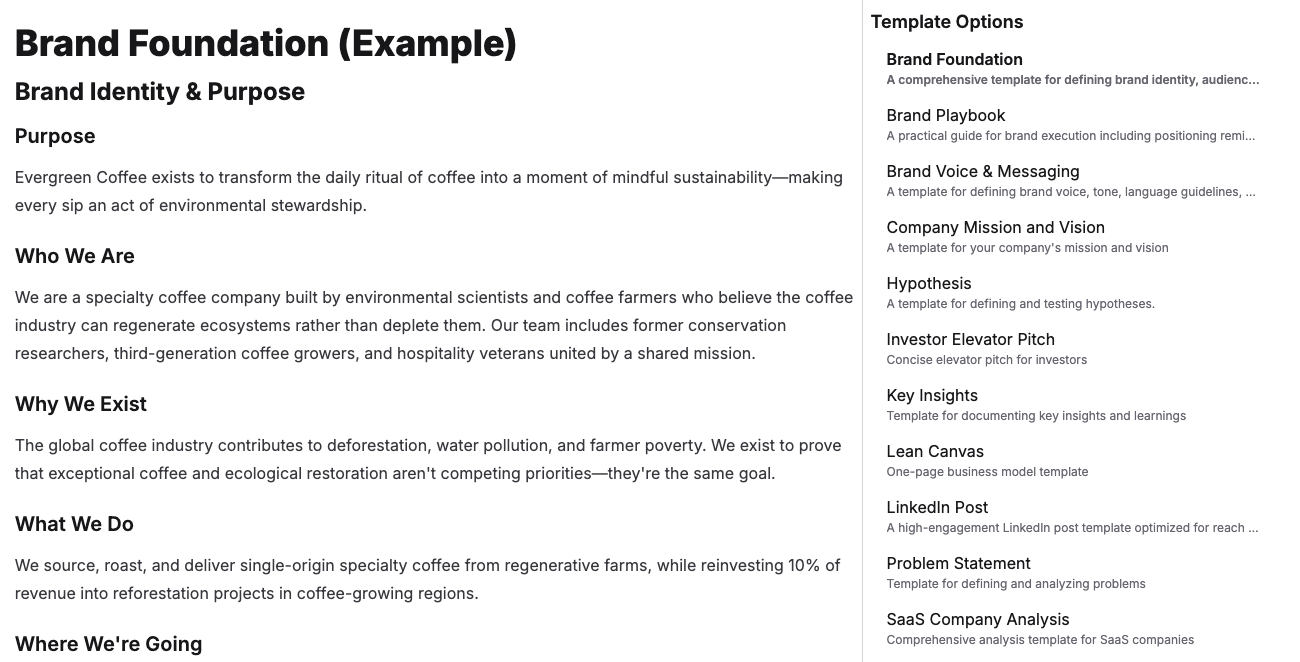
Not everything belongs in the formal product hierarchy. Product Graph also includes flexible Documents for the supporting knowledge that makes specs make sense.
Use Documents for:
- Meeting notes and decision records
- Research and discovery write-ups
- Process docs and onboarding guides
Documents use the same editor, AI tools, and collaboration model as product artifacts. You can connect them back to your specs via @mentions and attachments, so the context stays discoverable and durable.
Agent-Ready Projects
Projects are time-bound execution containers you can use to scope work for a release or initiative without rewriting the underlying specs. They help translate requirements into clear goals and deliverables that work well with coding agents.
- Scope a release by linking the relevant Capabilities, Features, and Requirements
- Capture goals, timelines, and success criteria in one place
- Keep the core artifacts durable, while Projects come and go
Why It Matters
AI has accelerated implementation, but it has also moved the bottleneck upstream. Teams need a trusted, structured source of truth for what to build and why, not scattered context across docs and tools.
Product Graph is built to make requirements clearer, more durable, and more usable for both humans and AI agents. Instead of bouncing between chatbots, docs, and trackers, you get one workspace where:
- Strategy connects to execution through a consistent artifact hierarchy (Product → Capability → Feature → Requirement → Acceptance Criterion)
- Decisions and changes are reviewable, with durable links and version history instead of stale, orphaned docs
- Teams can collaborate in real time, while keeping edits auditable through tracked revisions
- Requirements are structured so coding agents can consume them with less back-and-forth and supervision
Whether you are starting from a conversation, drafting a new spec, or refining requirements for agent-driven execution, Product Graph helps you move from idea to shovel-ready documentation with clarity and control.